For iPad

Your patterns.
More possibilities.
Less redrawing.

Turn the paper patterns you love into a library you can edit and reuse. Or start with a garment drafted from your measurements. Adjust, compare sizes and take your next project to the cutting table.

Coming to the App Store Try it live ↓

Ask about the launch

Free to start. One purchase unlocks everything. No subscription.

Live
Drafted by the app's own rules
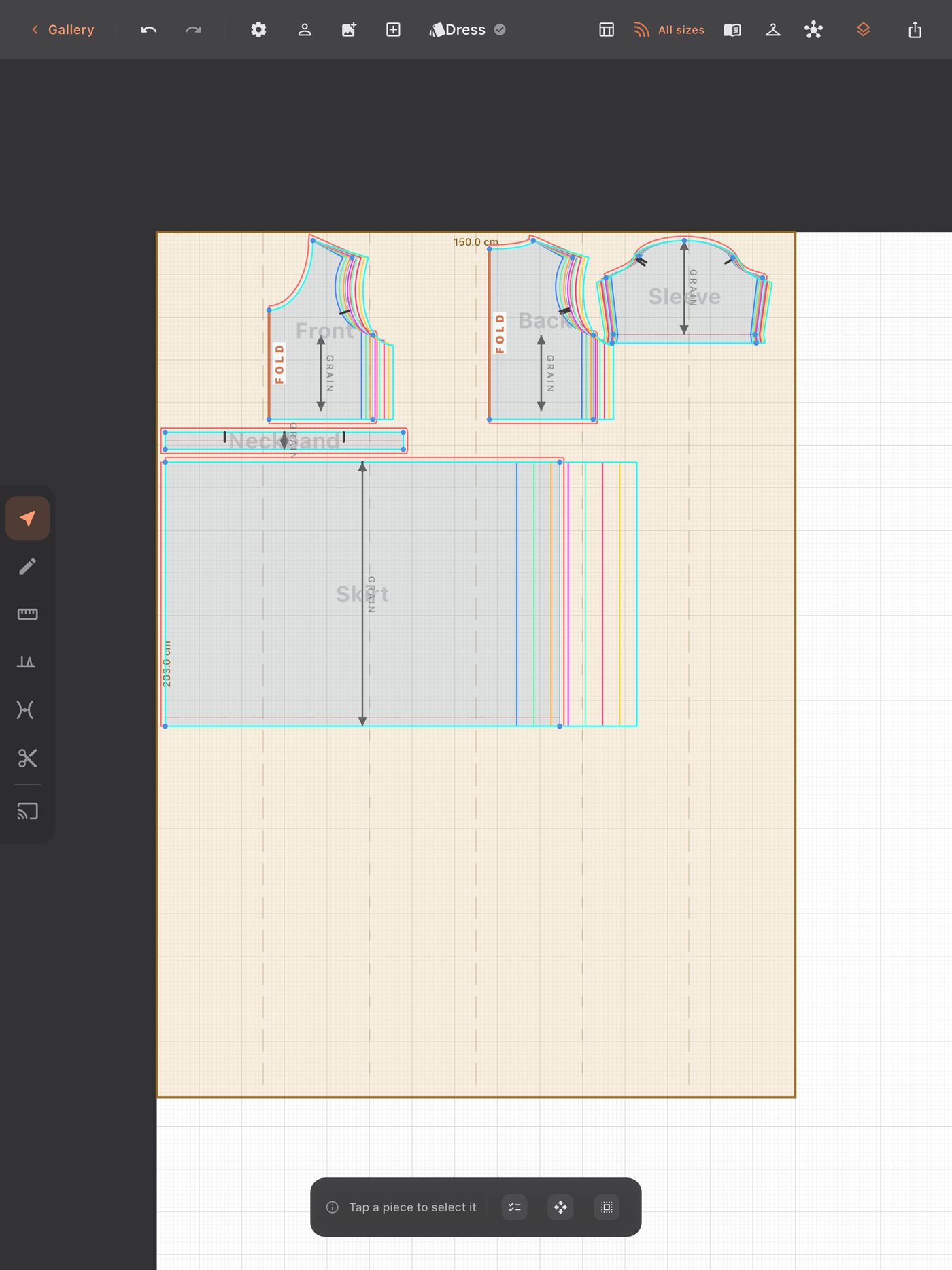
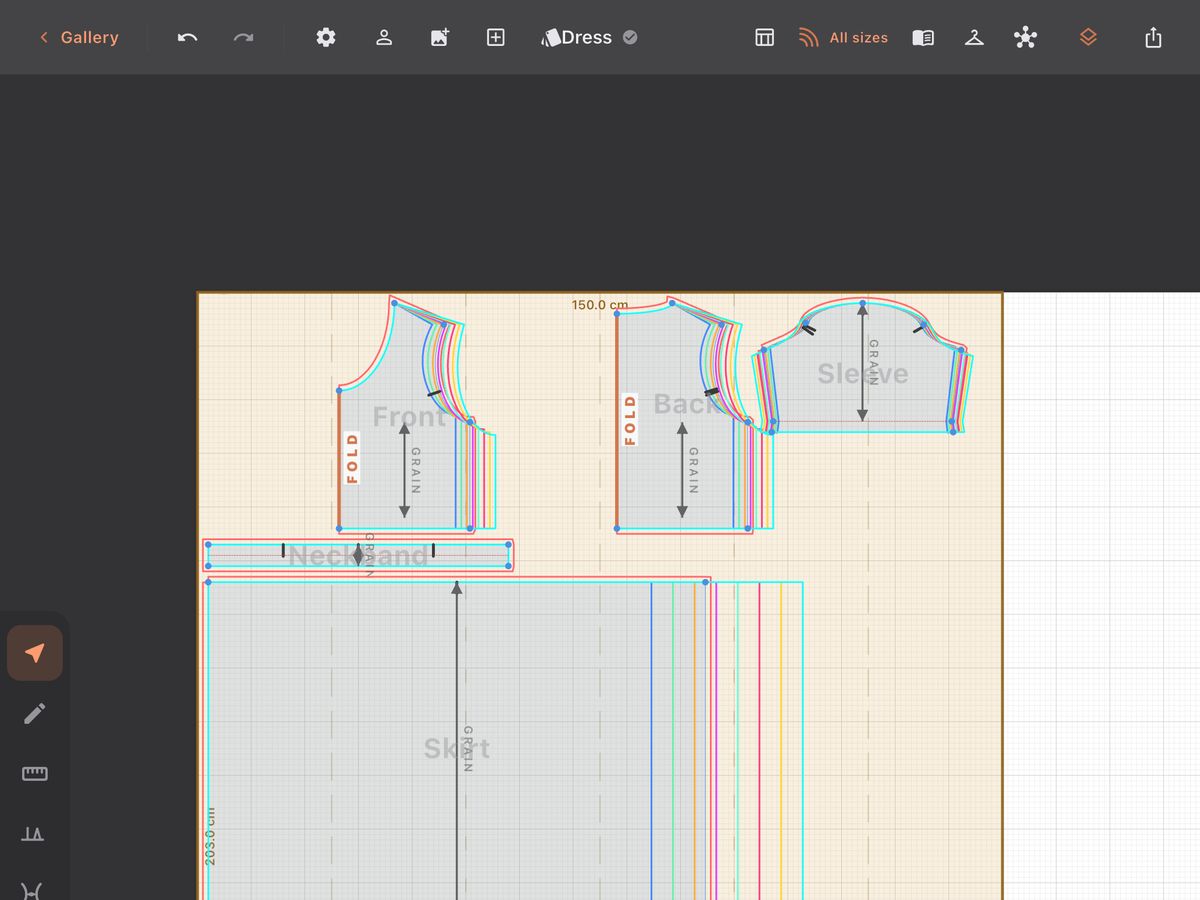
A SewGrader screenshot: a dress drafted to measurements, with all eight EU sizes nested, laid out on 150 cm fabric.
Click into the pattern, then scroll to zoom
Loading the patterns…

Watch it draft a piece from nothing, trace a paper pattern and grade a garment — then touch it and try it yourself. The garments come from the same code the app runs; whatever you draw gets a seam allowance, a length and its place on the print sheets, as in the app.

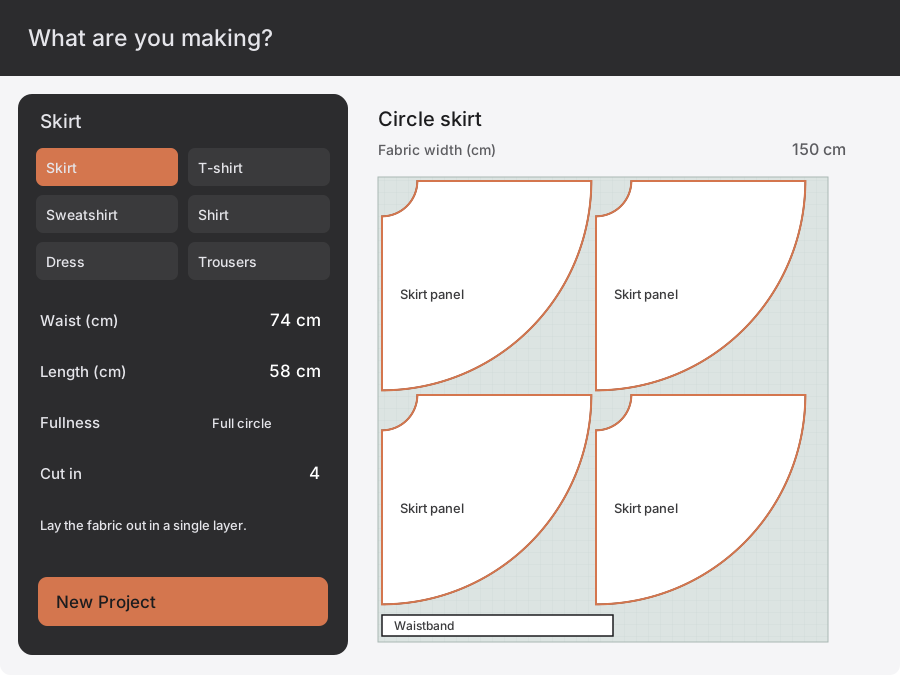
Animated app illustrations: Circle skirt · 74 cm · 58 cm · 4 × Skirt panel
6
garments that
draft themselves

From an idea
to a pattern.
With your measurements.

Pick a garment: skirt, t-shirt, sweatshirt, shirt, dress or trousers. Give it the two or three measurements it needs. The pattern is drafted to them, and every piece is labelled with what to cut. Before it draws anything, it tells you what it will make — the finished chest, the sleeve length, how much fabric to buy. It lands on a drawn length of your own fabric width, so you see whether it fits the bolt before you buy it. Or start on an empty canvas and draft it yourself.

Keep the work you have already done. Change a length, reuse a sleeve or make another size without starting again on paper.

Real screens.
Nothing retouched.

Captured from the current build on a 13-inch iPad: a dress drafted to one person's measurements, graded to a size chart, and taken all the way to the printer and the projector.

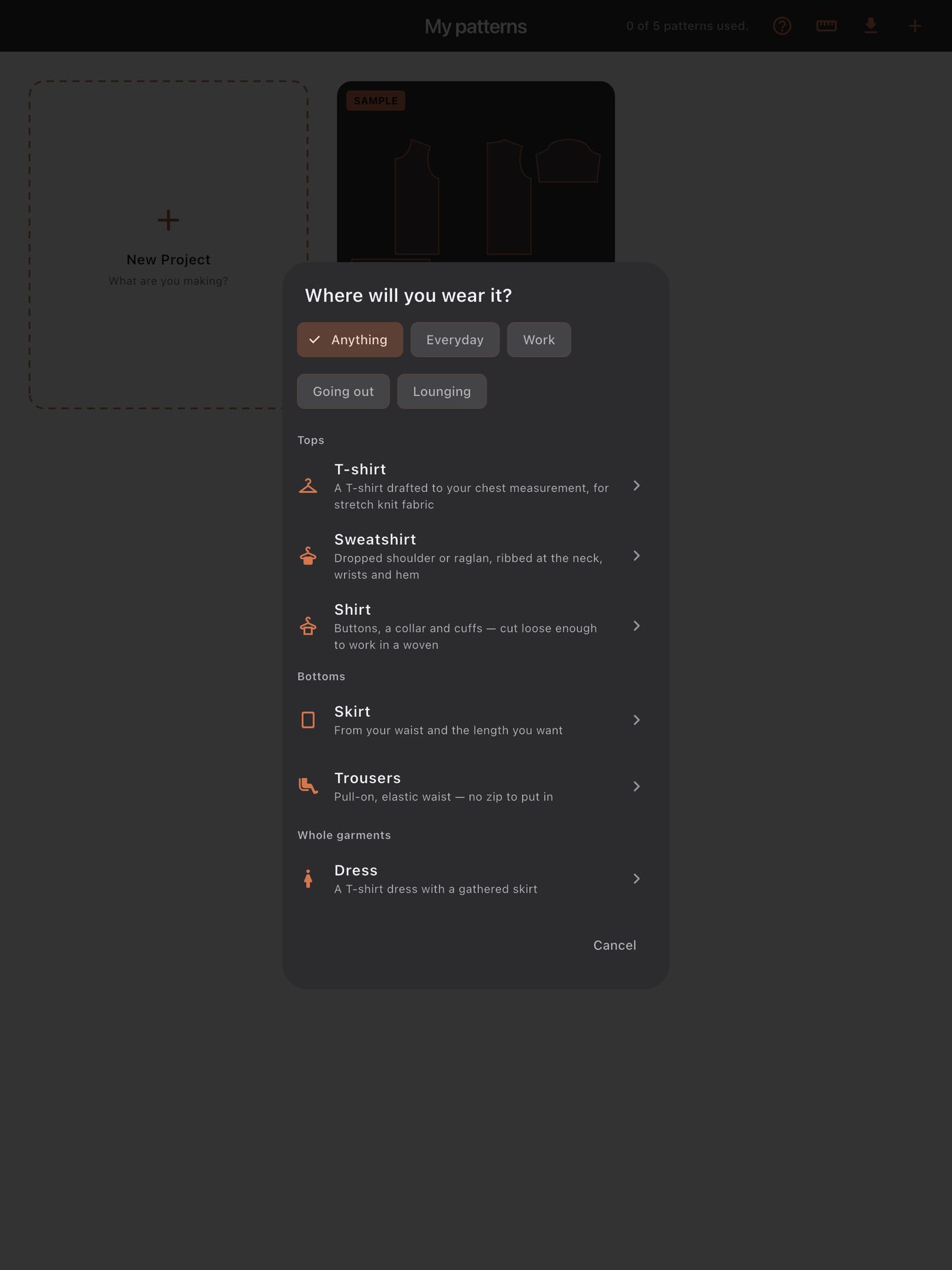
Pick what you are making. Six garments, grouped by where they are worn.
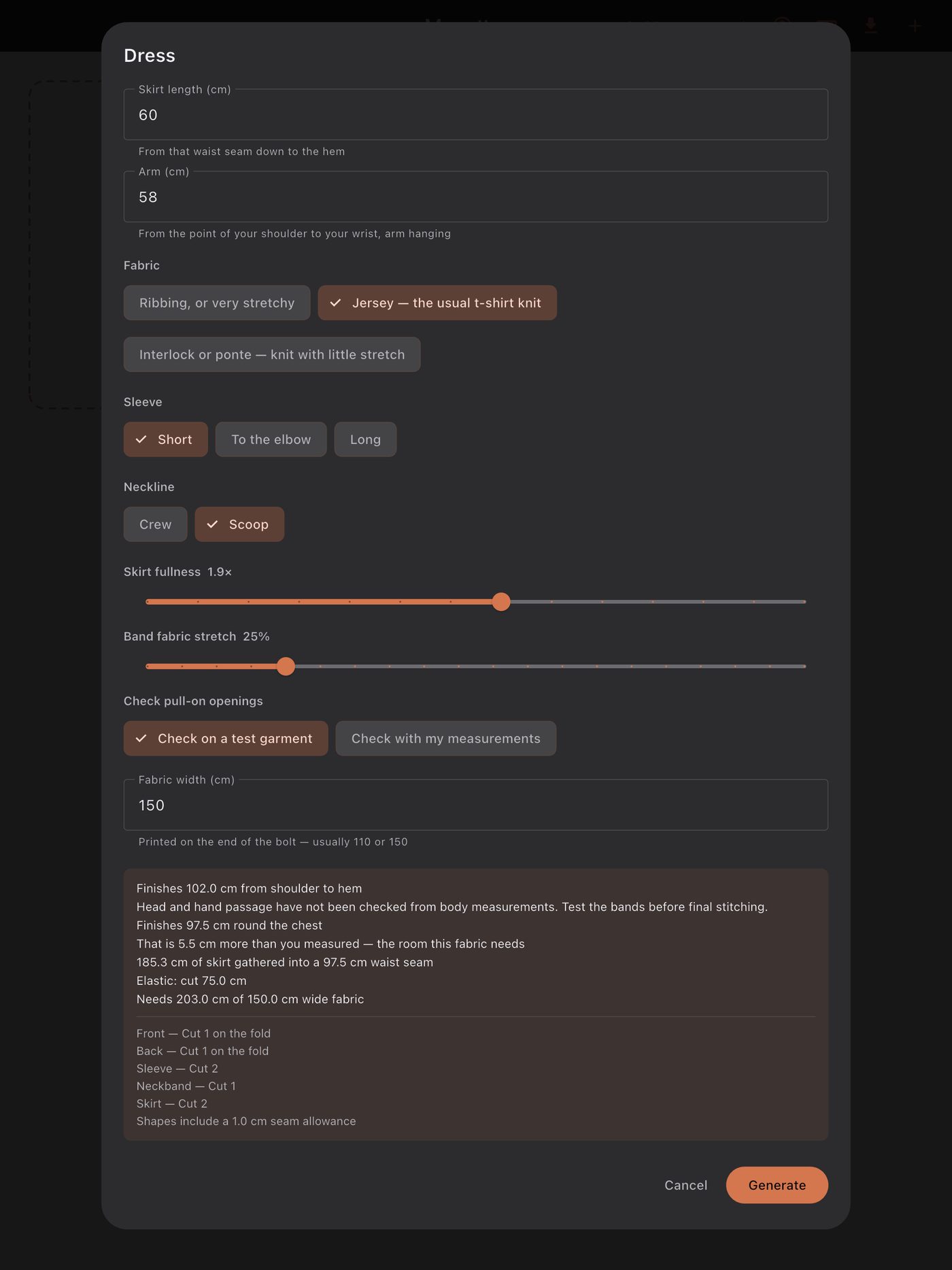
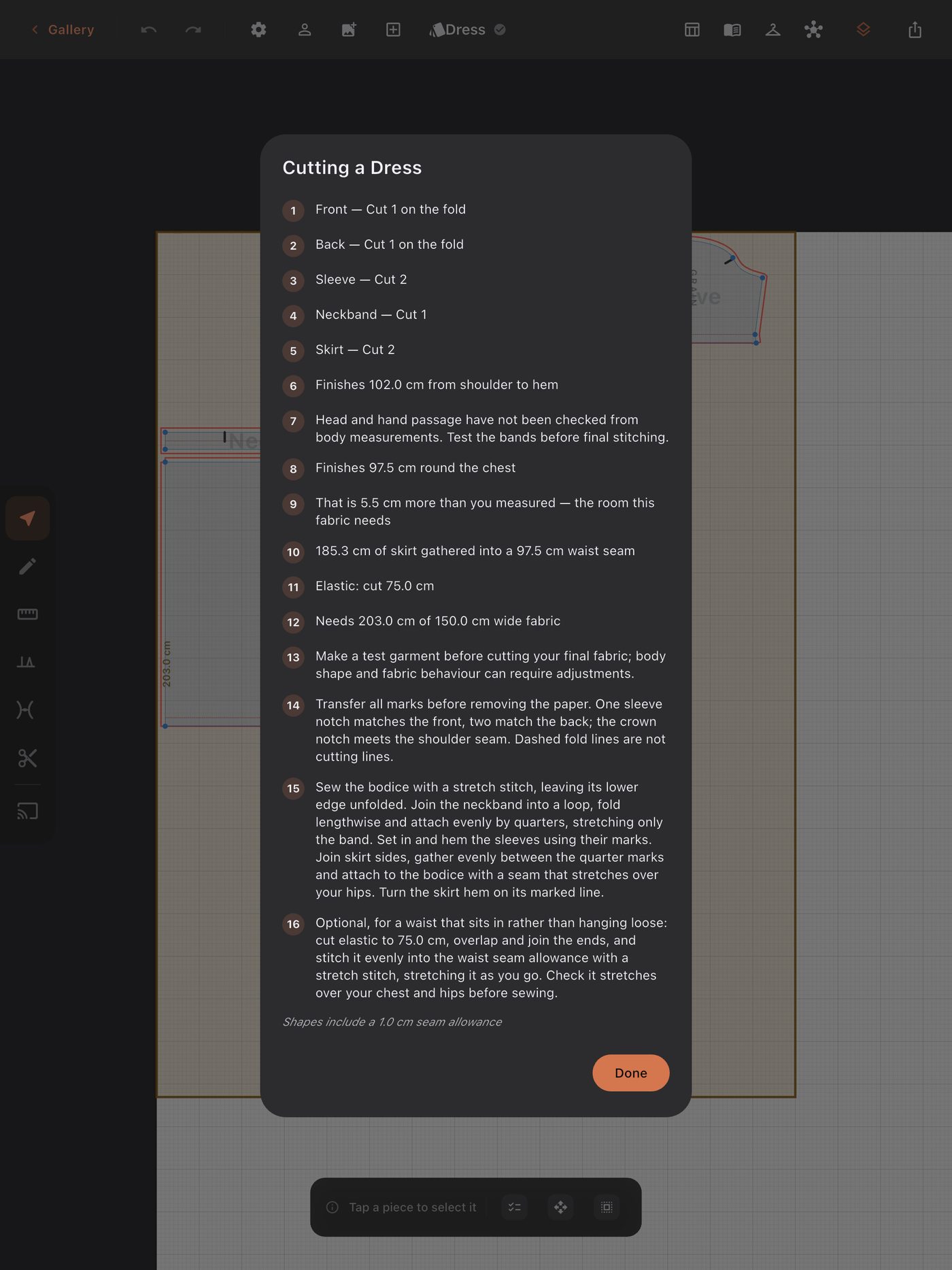
Before it draws anything, it says what it will make: the finished chest, how much skirt is gathered, the elastic to cut, the fabric to buy.
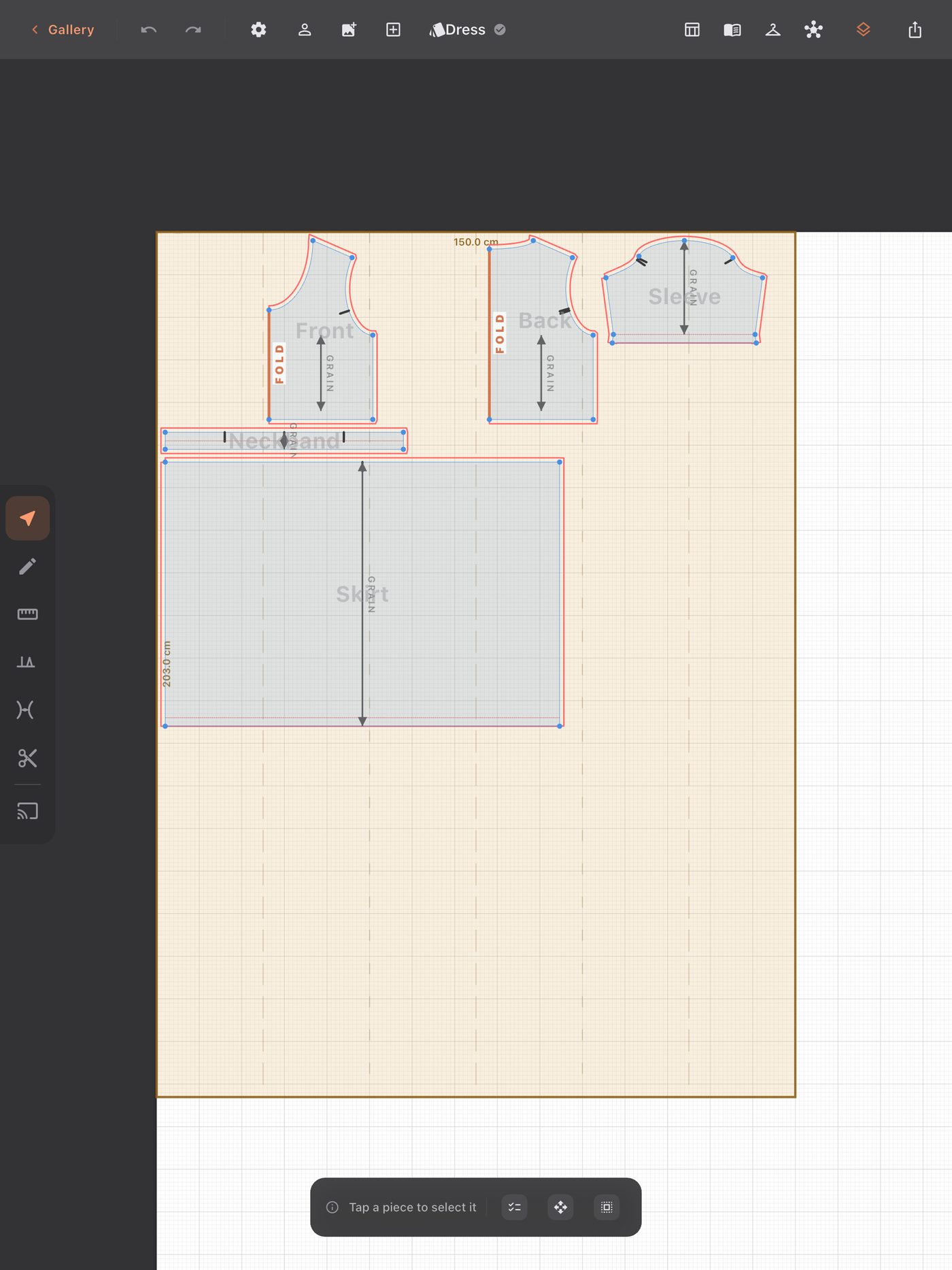
The pattern lands on your own fabric width, every piece labelled with how many to cut and where the fold is.
The cutting guide: every piece, the numbers that matter, and the order to sew it in.
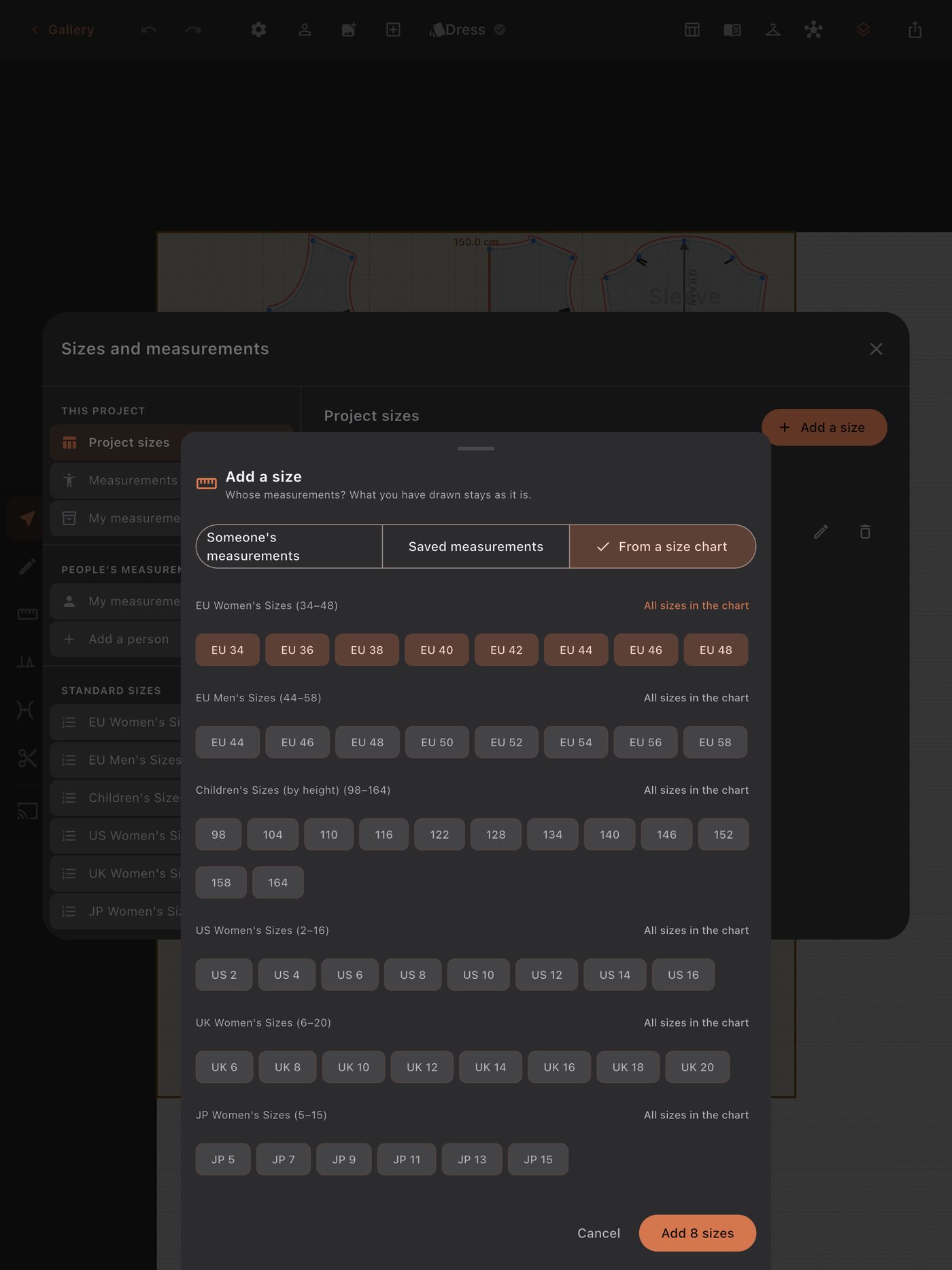
A whole size chart in one tap. Every size is drawn again from its own measurements.
All sizes nested on the canvas, so you can see exactly what grows between them.
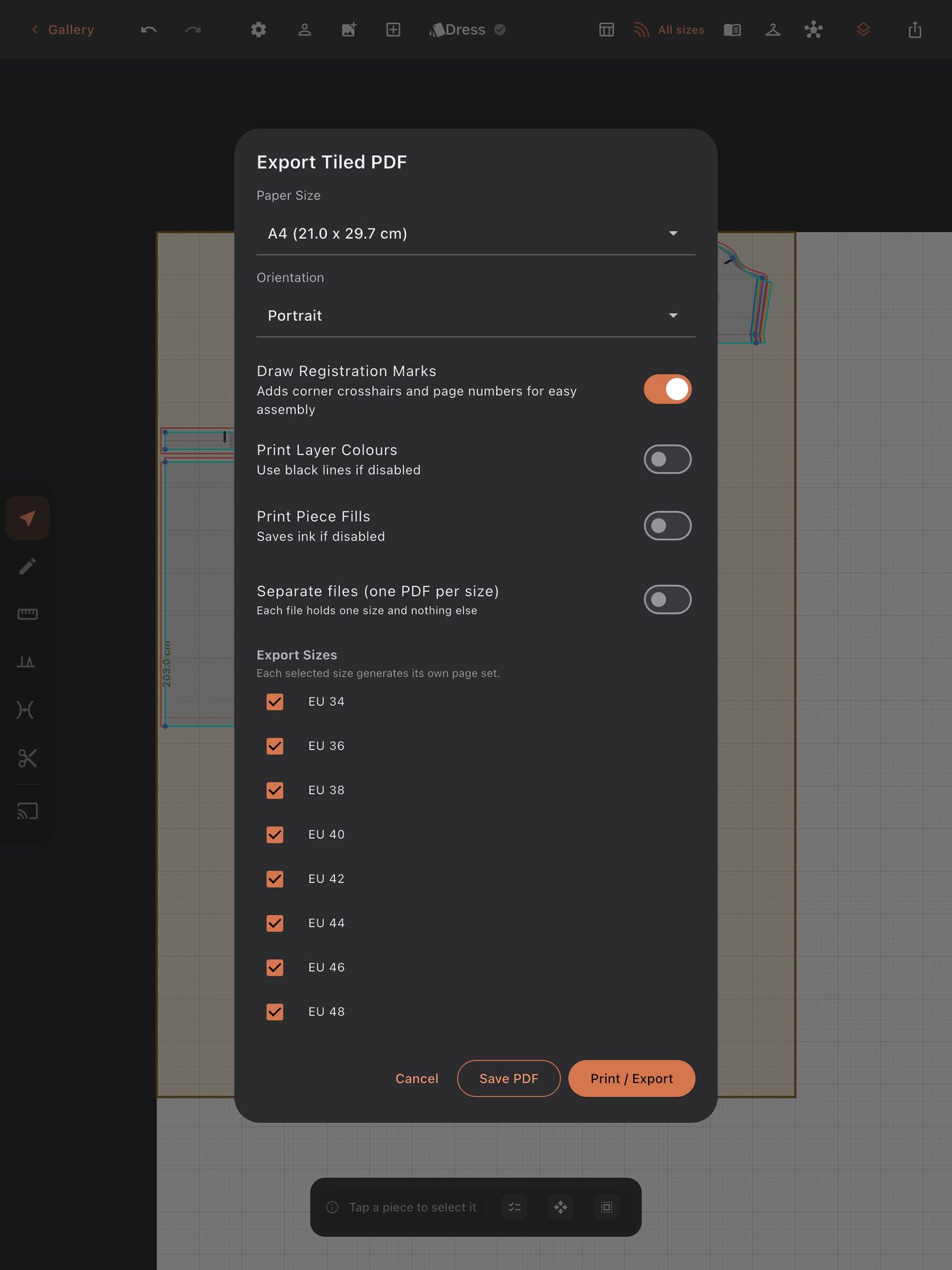
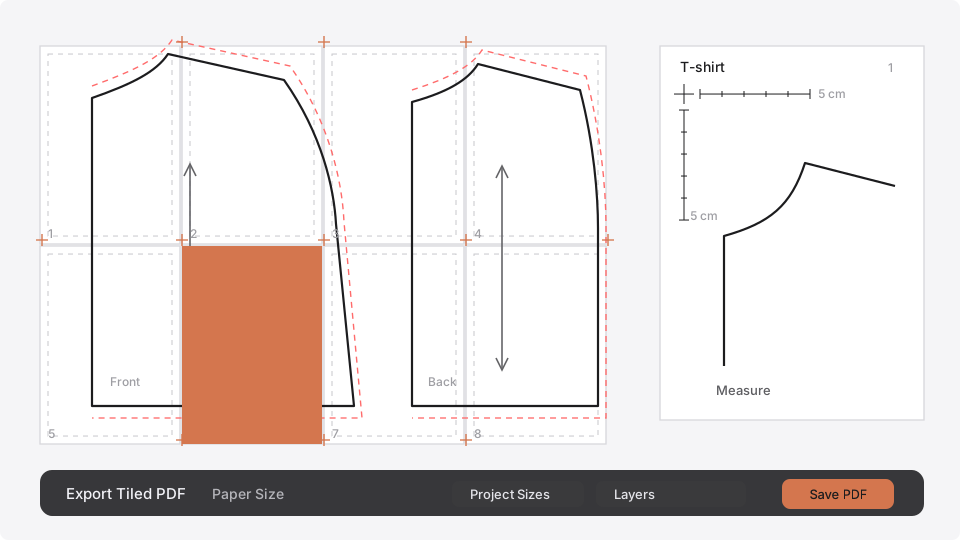
Tiled PDF on A4 or Letter, with registration marks: one size, every size, or a file per size.
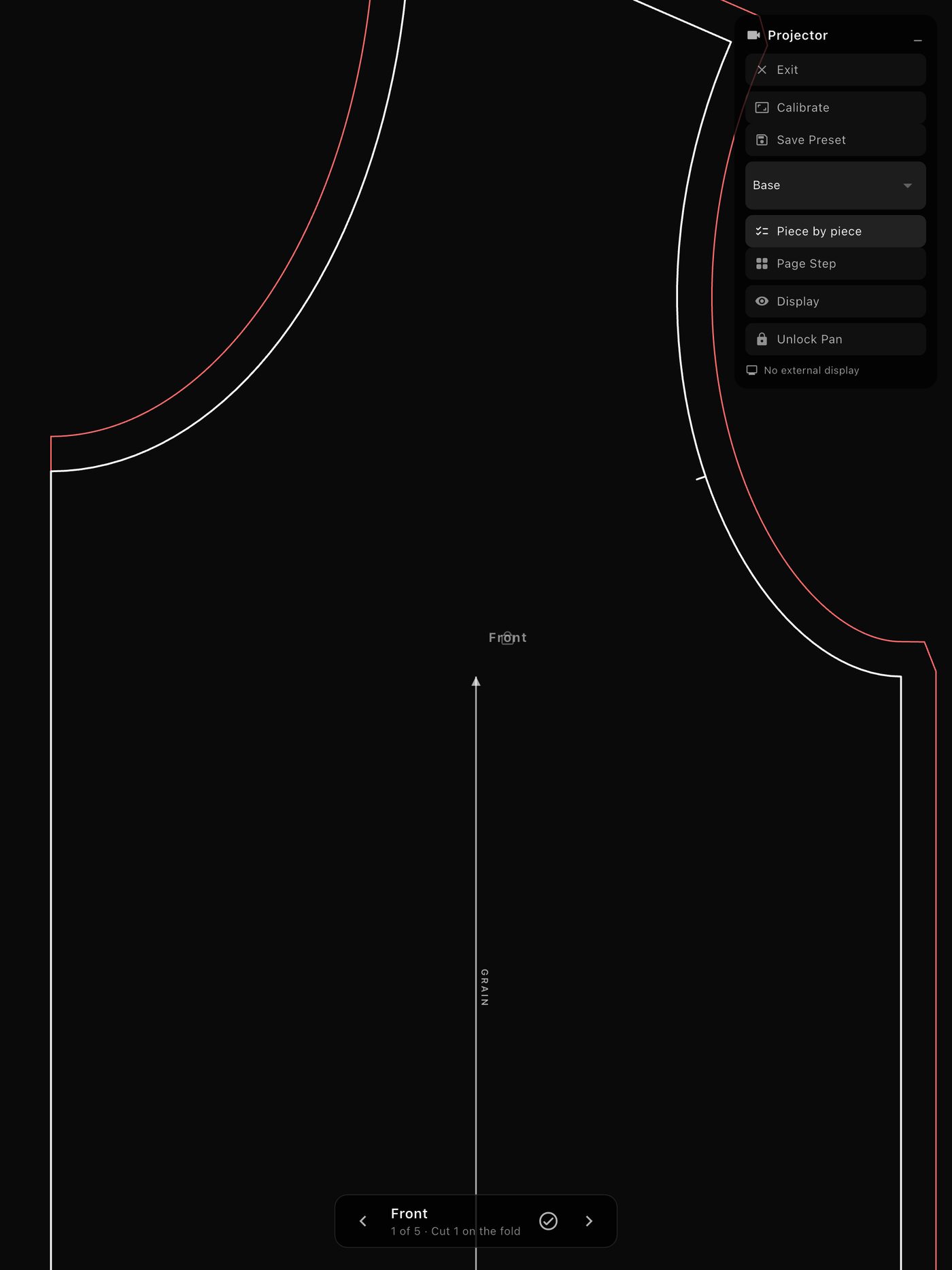
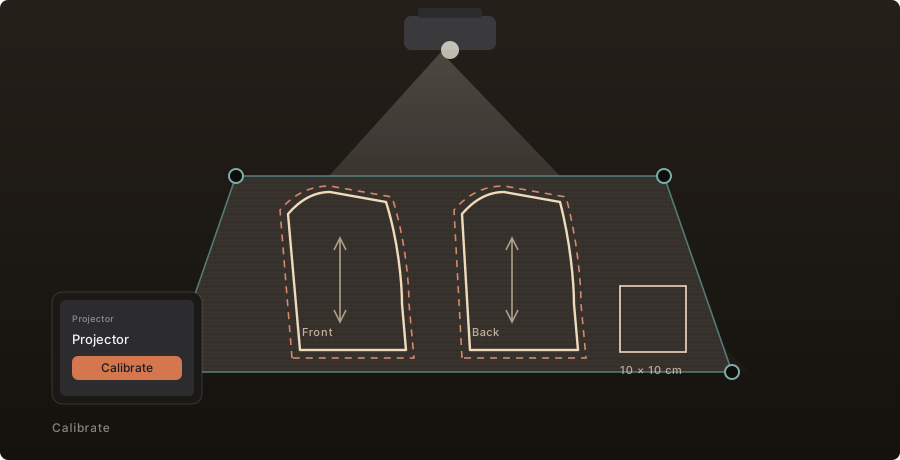
Projector mode, piece by piece, at 1:1 on the cutting table.
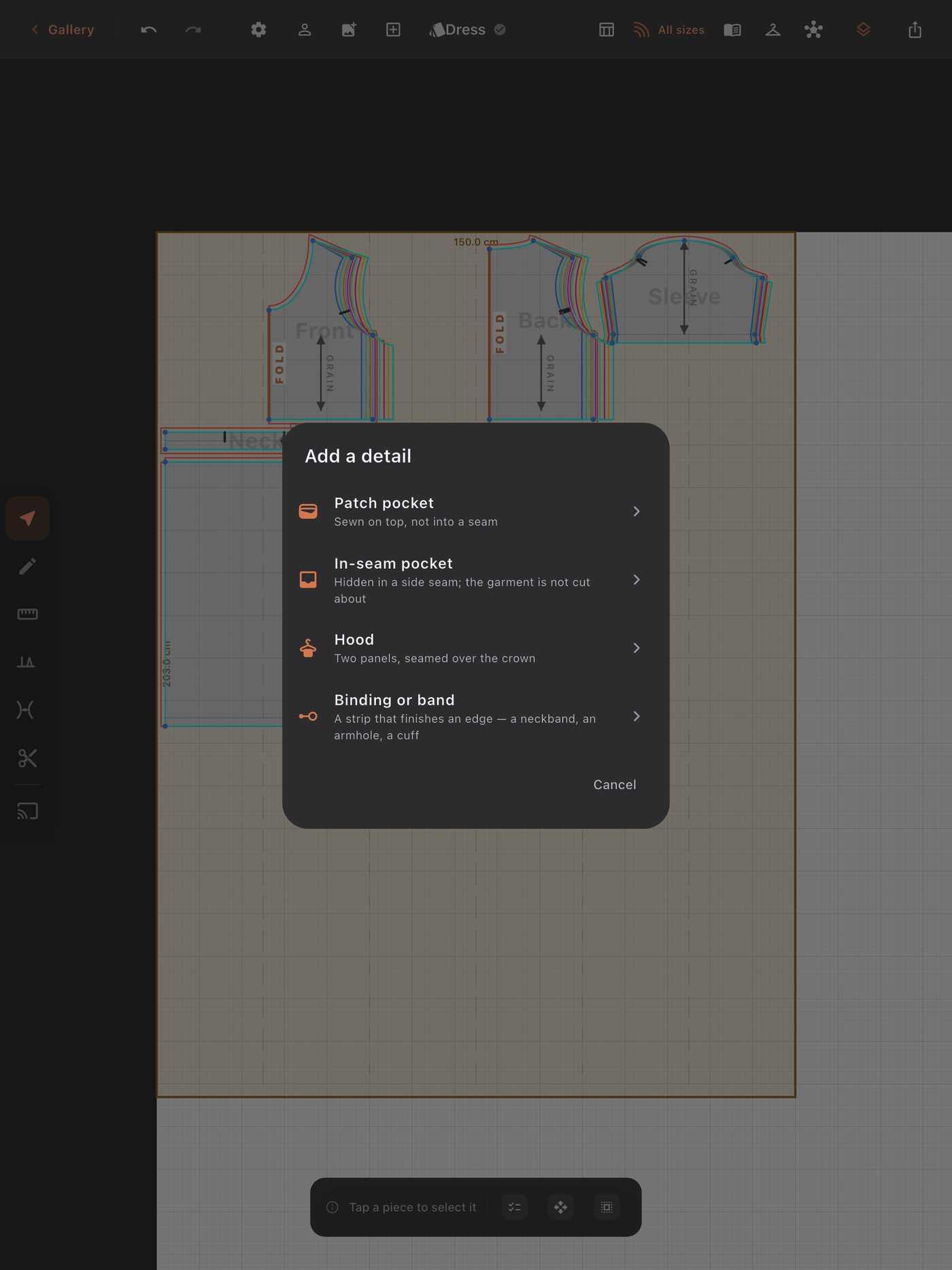
Details that follow the garment: a patch or in-seam pocket, a hood, a binding.
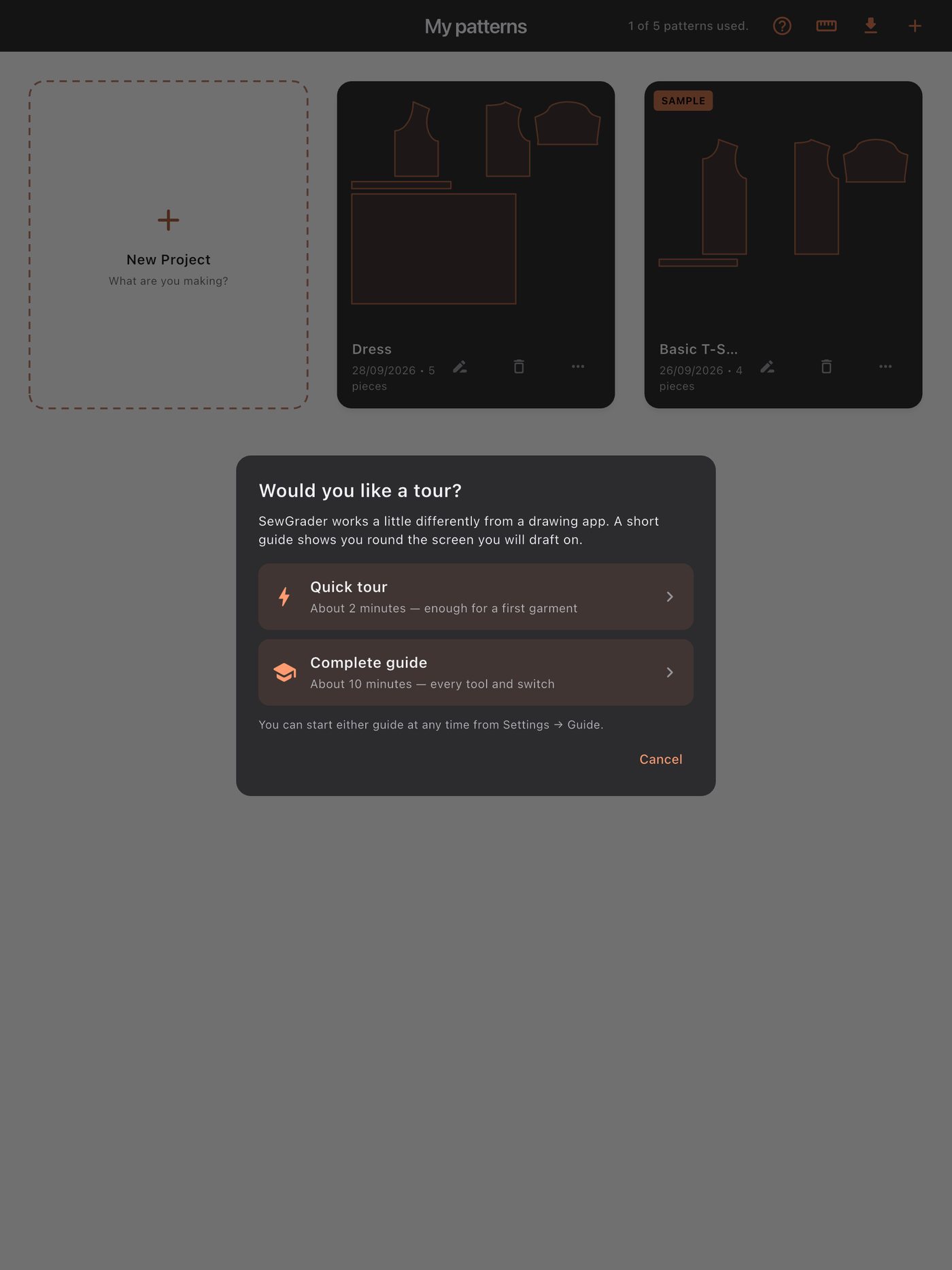
A guided tour if you want one: two minutes, or ten for every tool. Or neither.
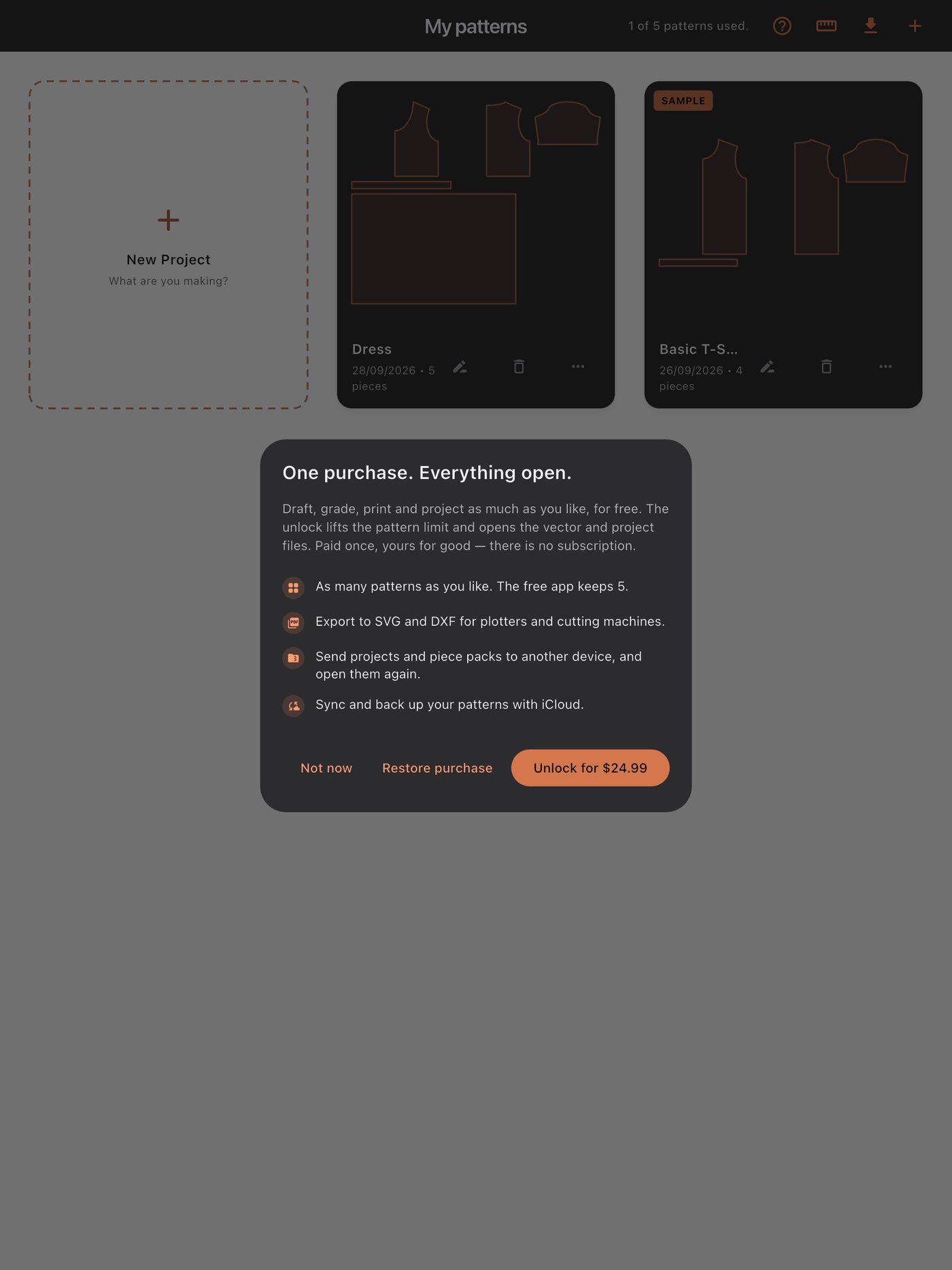
Free with up to five patterns. One purchase lifts the limit and opens SVG, DXF, project files and iCloud sync.

Your old patterns
deserve a
second life.

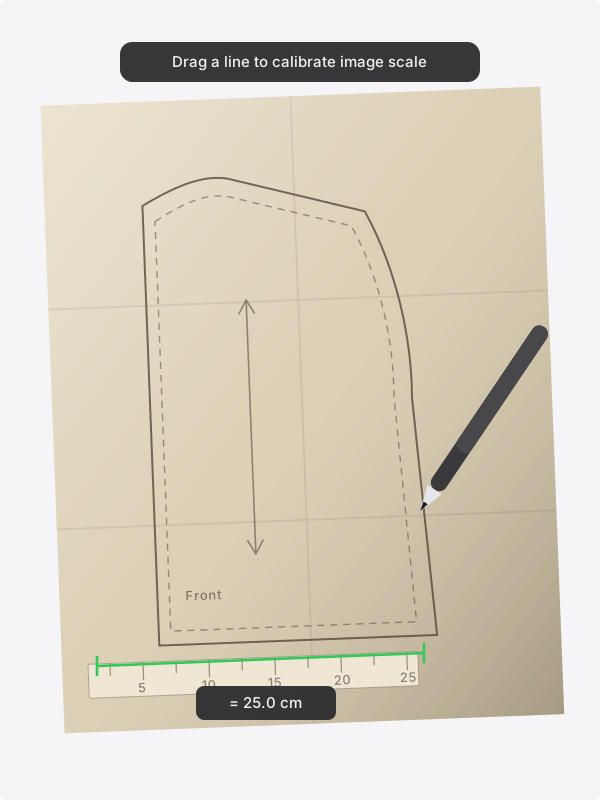
That pile of paper from your grandmother. The pattern you traced off a magazine sheet in 2009. Photograph it and bring it in. Tell the app how long one line in the photo really is, then draw over it. In minutes you have a digital original — one that grades, edits and prints forever.

1

Photograph the piece

Lay the paper flat and get a ruler, or anything of known length, in the shot. Any camera will do.

2

Calibrate it to real size

Draw a line along the ruler in the photo and enter its actual length. A second line across it corrects a photo taken slightly out of square.

3

Draw over it

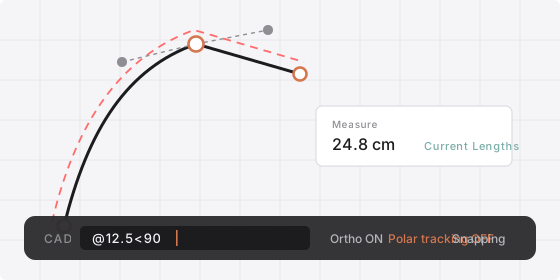
Trace with a Pencil or a finger. Hold at the end of a freehand stroke and it snaps to the shape you meant, or place points exactly by typing coordinates.

4

Delete the photo, keep the piece

The background image goes. What is left is a real piece — measurable, gradable, and printable at any size.

A photographed paper pattern used as a tracing underlay, with a calibration line laid along the ruler in the shot and a digital outline being drawn over the printed one.

One draft.
Every size.
No second draft.

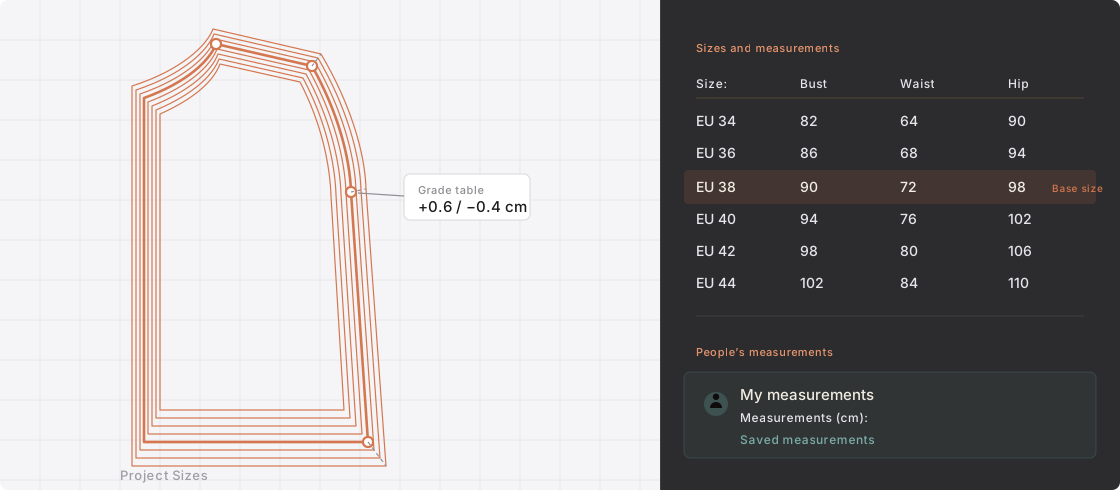
Built-in garments can be redrafted from another person’s measurements. For patterns you draw or trace, set the grading rules and check the result. A size chart is a starting point; fit also depends on the design, fabric and ease.

One bodice shown as a nest of eight graded sizes, beside the size table that produced them and a saved measurement profile.

Standard size charts

EU, US, UK and JP women's charts, plus men's and children's. Pick one and the size run is there.

The people you sew for

Measurements outlive projects, so they live in the app rather than in a file. Take your sister's at Christmas and grade to her all year.

Rules per node, links per edge

For hand-drawn and traced patterns, control how each point moves between sizes and check the seams before cutting.

Room to adjust.
Before you cut.

Keep the work you have already done. Change a length, reuse a sleeve or make another size without starting again on paper.

Seam allowance

A width for the piece, an override for any single edge, and a corner treatment where two of them meet. Drawn as you change it.

Per-edge control

Live Mirror

A mirrored copy that stays in sync. Edit one side and the other follows, so a symmetrical piece is edited once.

Symmetry built in

Cut, slash and spread

Divide a piece with a straight, segmented or freehand cut. Spread the sections radially to adjust darts or add fullness.

Dart manipulation

The markings, drawn as themselves

Notches, grainlines, drill holes, darts, fold lines, buttons, internal lines and dimensions. Every icon is drawn as the mark itself — the same symbols already printed on the patterns you buy. Nothing to decode.

Production-ready

Measure anything

Measure distances in centimetres, millimetres or inches, and angles in degrees, directly on the canvas. Check that seams match before cutting. Know one real length of a piece? Type it, and the piece is resized to match.

Boolean merge

Fuse overlapping pieces into one clean outline — how a multi-part piece becomes a single thing to cut.

Advanced workflow

How did it fit?

Tell the app how the last one sat — a waistband that dug in, a crotch that pulled when you sat down — and the next pattern is cut to what it learned, by a rule you can read.

The fitting loop

A guide, if you want one

A two-minute quick tour, or a ten-minute complete guide to every tool and switch. Start either from Settings at any time — or skip both and take the sample project apart.

Quick · Complete

Restore Backup

Work saves as you go and rotating backups are kept for every project, reachable from a button on the project card. With the unlock, a copy can also live in your own iCloud Drive. A lost drawing is an afternoon; a lost pattern is a body's measurements you may not be able to take again.

Backups, not hope
Your pieces.
Reusable for good.

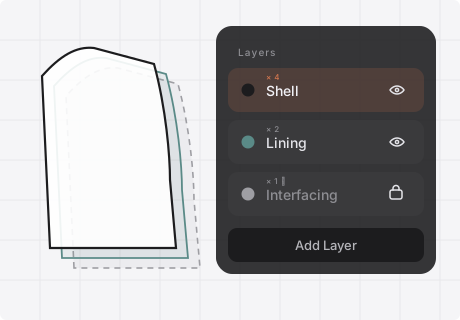
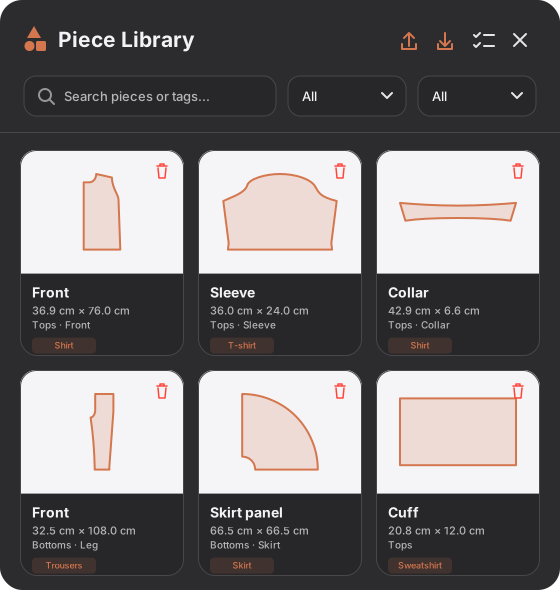
The piece library is your own set of building blocks. Drafted a sleeve that finally fits? Save it. Next project, bring it in and you start halfway. Categories and tags are how you find it again in a year.

Save any piece with a category and tags
Search by name, type or tag
Imports at the centre of your view, ready to place
Export the whole library as one file — to another device, or to keep
The piece library in the app: saved pieces drawn from their real outlines, each with its size, category and tag.

From SewGrader
to anywhere.

Four export options for different workflows. Choose the one that suits yours.

Tiled PDF

Multi-page, registration-marked, page-numbered. Any home printer, any common paper size.

SVG

Clean vectors for Illustrator, Inkscape, and cutters like Cricut or Silhouette.

DXF

The format professional plotters and pattern CAD read. Hand a file to a print bureau and it opens.

Projector & cutting guide

1:1 on the floor, or the numbers to mark straight onto folded cloth. For the garments that never needed paper.

Who sews
with
SewGrader?

Home sewists

Turn the paper patterns you love into a library you can edit and reuse.

Pattern makers and designers

You draft your own and are tired of scaling by hand. A one-size draft becomes a full size run in an evening, with the rules visible and yours to change.

Made-to-measure sewists

Keep measurements for the people you sew for and reuse them in your next project.

Teachers and students

Teach the geometry with the geometry visible and editable. A class can try five ideas without spending five sheets of paper.

Including the part
most apps forget.

Menus are the easy half. SewGrader is translated all the way down — including the labels printed onto the pattern itself, the cutting guide and the command bar. Those are the three places a translation usually stops.

Free to start.
One purchase for everything.

Download SewGrader and use all of it — every garment, grading, printing and the projector — with up to five patterns at a time. When you want more, one purchase unlocks it for good. No trial that expires, and no monthly charge for an app you use in bursts.

Free
0 USD
  • Every garment, and every drafting and grading tool
  • Tiled PDF printing and the projector
  • Up to five patterns at a time — the sample does not count
Lifetime unlock
24.99 USD once
  • As many patterns as you like
  • SVG and DXF for plotters and cutting machines
  • Projects and piece packs sent to another device
  • Sync and back up to your own iCloud Drive

The final price will appear in your local currency on the App Store.

  • No subscription. One unlock, paid once, and nothing else is sold inside the app.
  • No account. Nothing to sign up for, nothing to be locked out of.
  • No ads, no tracking. Nothing inside the app watches what you do, and nothing reports it anywhere.
  • No cloud you depend on. Your patterns are files on your device. iCloud sync is optional, and goes to your own iCloud Drive — never to us.

SewGrader is in preparation. The unlock price shown here is planned; the final price will be confirmed when the app launches.

Get started

Your drafting table
is waiting.

Designed for iPad. An Apple Pencil is supported, but a finger is enough.

Coming to the App Store

Free to start · One-time unlock · No subscription